6. Configuring ROS Domain ID and Firewall
Typically ROS 2 domain id is configured by setting environment variable ROS_DOMAIN_ID before starting node. On UR OS there is a need for centralized management of domain id, since there are many dockerized nodes that expect to seamlessly communicate with each other.
UR limits available domain ids to 0-5 inclusive. By default domain id is set to 0. To be able to make ROS 2 visible externally, ROS 2 toggle button must be enabled in the screen, which is Settings->Security->Services, below:
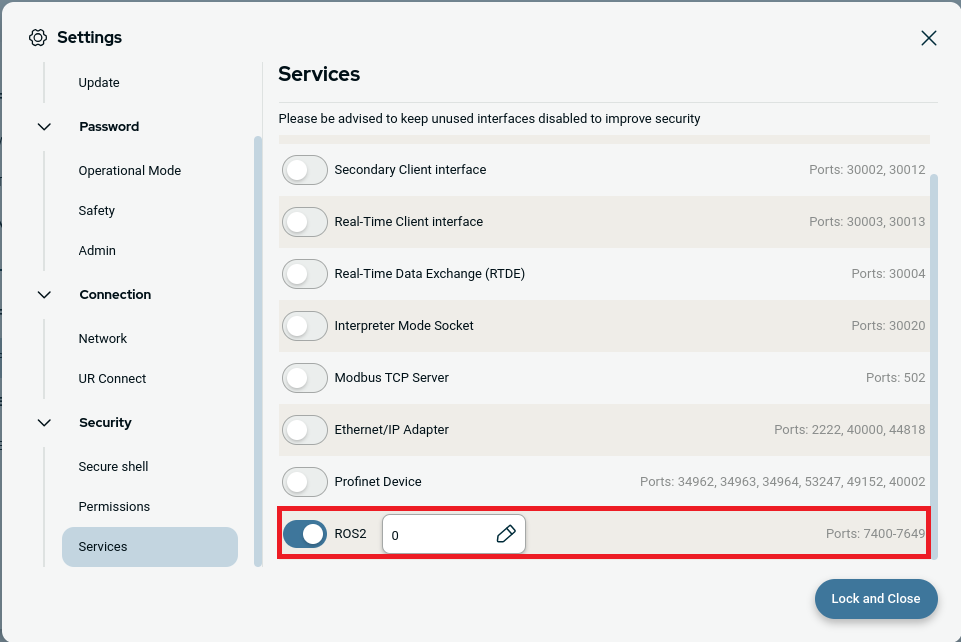
Once the input box is clicked next to ROS 2 toggle button, a pop up window will be visible like below. Then a desired ROS_DOMAIN_ID, for example 5, can be set. Applying a new ROS_DOMAIN_ID requires a reboot of the robot:
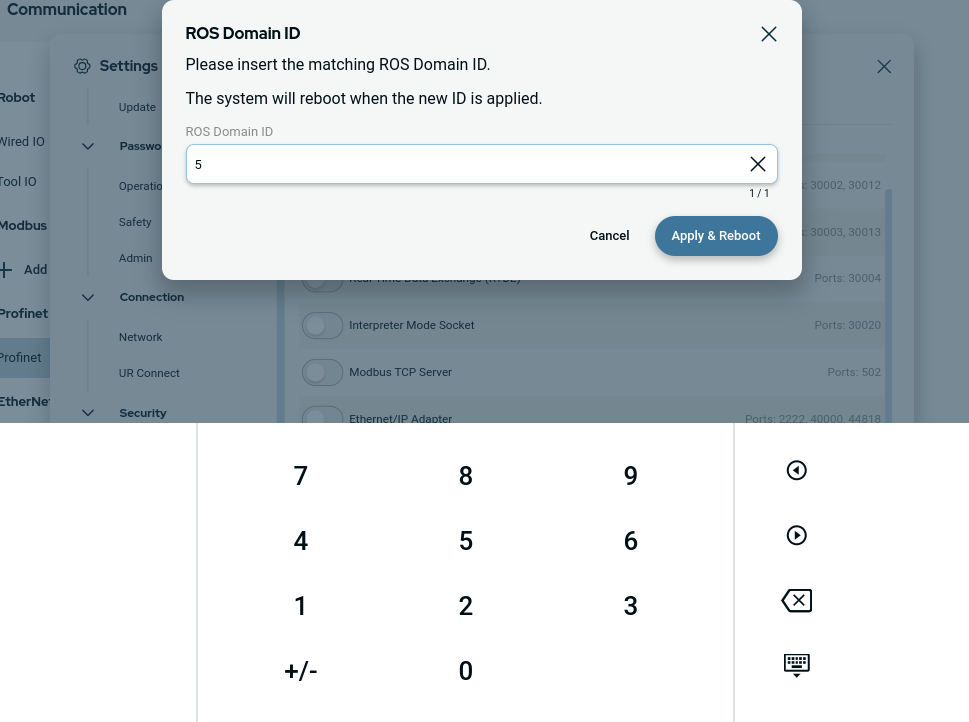
Disabling ROS 2 will just disable external visibility and accessibility of the robot via ROS network. After disabling this service, the robot will still have ROS 2 functionality internally.
Note
Robot needs to be restarted before changes take effect.